GFW犯贱无非有三招:IP封锁、关键词检测、还有我最痛恨的DNS污染。
关键词检测通常可以使用SSL连接,IP封锁可以用SSH,可是唯独DNS污染比较恶心,它就像粘在鞋底的狗屎一样,总是缠着你不放,这点在使用Chrome+SSH的时候最明显。“诶?我靠,怎么SSH连上了还没法翻出去?”这就是因为查询到的IP仍然是遭到了污染的,不管你用的是流氓的ISP提供的DNS,还是Google Public DNS抑或是Open DNS,你都不太容易搞定这个问题。
在Windows下,你可以使用pydnsproxy防止DNS污染,在Linux下,可以使用pdnsd。
配置方法很简单,首先就是安装:
1
| sudo apt-get install pdnsd
|
这时,你就需要配置pdnsd了。
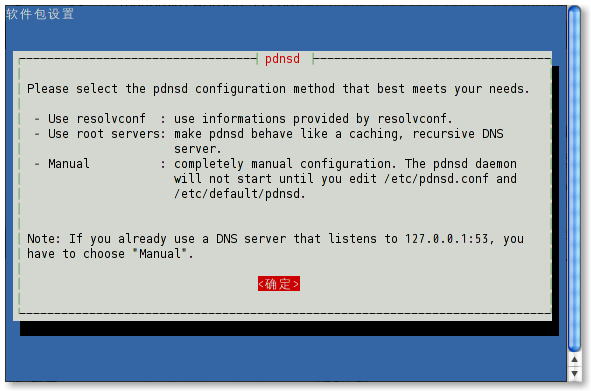

现在,使用你喜欢的文本编辑器打开pdnsd的配置文件,以我的为例。(我已经删除了被注释掉的选项。)
1
| sudo gedit /etc/pdnsd.conf
|
 1
 2
 3
 4
 5
 6
 7
 8
 9
10
11
12
13
14
15
16
17
18
19
20
21
22
23
24
25
26
27
28
29
30
31
32
33
34
35
36
37
| global {
perm_cache=16384;
cache_dir="/var/cache/pdnsd";
run_as="pdnsd";
server_ip = 127.0.0.1; // Use eth0 here if you want to allow other
// machines on your network to query pdnsd.
status_ctl = on;
paranoid=on;
/* 重要!在这里设置查询方法为TCP,就可以避免大部分DNS污染,你也可以设定为 tcp_udp,即在TCP查询无效的情况下使用常规的UDP协议查询。*/
query_method=tcp_only; // pdnsd must be compiled with tcp
// query support for this to work.
min_ttl=15m; // Retain cached entries at least 15 minutes.
max_ttl=1w; // One week.
timeout=10; // Global timeout option (10 seconds).
}
/* 这个部分是设定pdnsd要查询的DNS服务器,本来是查询根域名服务器,我将其修改为了OpenDNS的。 */
server {
label="OpenDNS";
ip = 208.67.222.222
, 208.67.220.220;
ping_timeout = 300; // Test every half hour.
}
source {
owner=localhost;
file="/etc/hosts";
}
rr {
name=localhost;
reverse=on;
a=127.0.0.1;
owner=localhost;
soa=localhost,root.localhost,42,86400,900,86400,86400;
}
|
接下来,配置以启用pdnsd。(我的是编辑/etc/default/pdnsd)
1
| sudo gedit /etc/default/pdnsd
|
1
2
3
4
5
6
| # do we start pdnsd ?
START_DAEMON=yes
# auto-mode, overrides /etc/pdsnd.conf if set [see /usr/share/pdnsd/]
AUTO_MODE=
# optional CLI options to pass to pdnsd(8)
START_OPTIONS=
|
当一切都完成之后,你要做的便是重启pdnsd服务了。
1
| sudo service pdnsd restart
|
试试解析一个被污染的域名吧?你未必能够ping得通,因为它的IP可能已经被封锁了。但是得到的结果应该是非常正确的,至少现在是这样。
1
| nslookup twitter.com 127.0.0.1
|
现在搭配gSTM连接SSH(gSTM是GNOME下的SSH端口转发的图形界面前端,很好用。),加上设置127.0.0.1为你的DNS服务器(以后理论上开机pdnsd就启动了,一劳永逸。),Government’s Fucking Wall就不会影响你的上网了。
Enjoy it, and say FUCK OFF to DNS poisoning!